
How to Place Libby Books on Hold Before They Are Released
There’s nothing worse than a new book coming out by an author you love and on release day you run to the Libby app to request it and see . . . the hold line is already 100 people deep!
Luckily you can put Libby books on hold before they are even released!
Even better? It’s a really easy process.
Here’s how to get Libby books on hold before they are released:

The first thing to know is that libraries decide what new releases will be available so you can’t expect every new release to be up for grabs. However, there is a way to request that a library buys a book for their Libby collection. I’ll show you how to do that second.
If you don’t have anything specific in mind, but want to see what upcoming releases your library has acquired, click the three little lines below Catalog Filters.
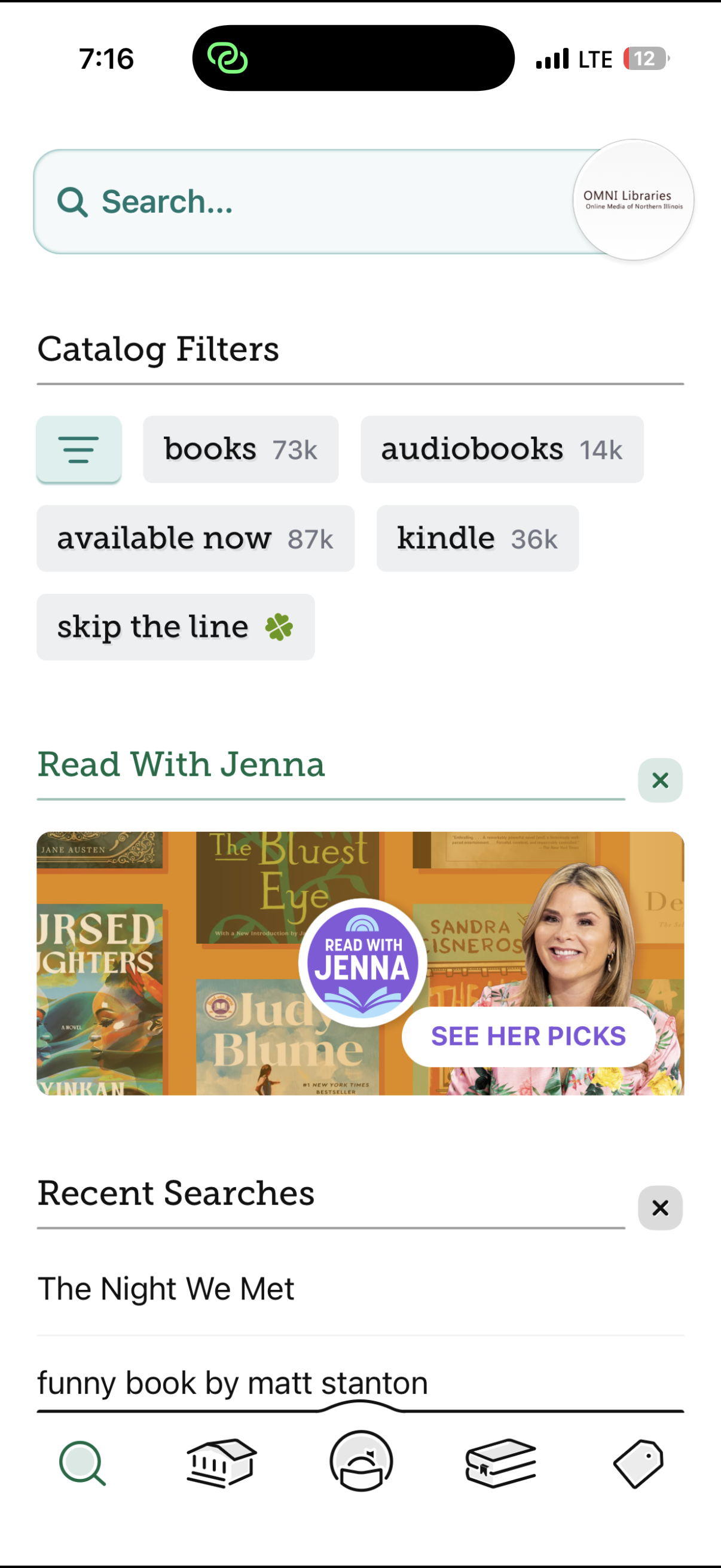
You will then see a big range of options. Select “Coming Soon.”
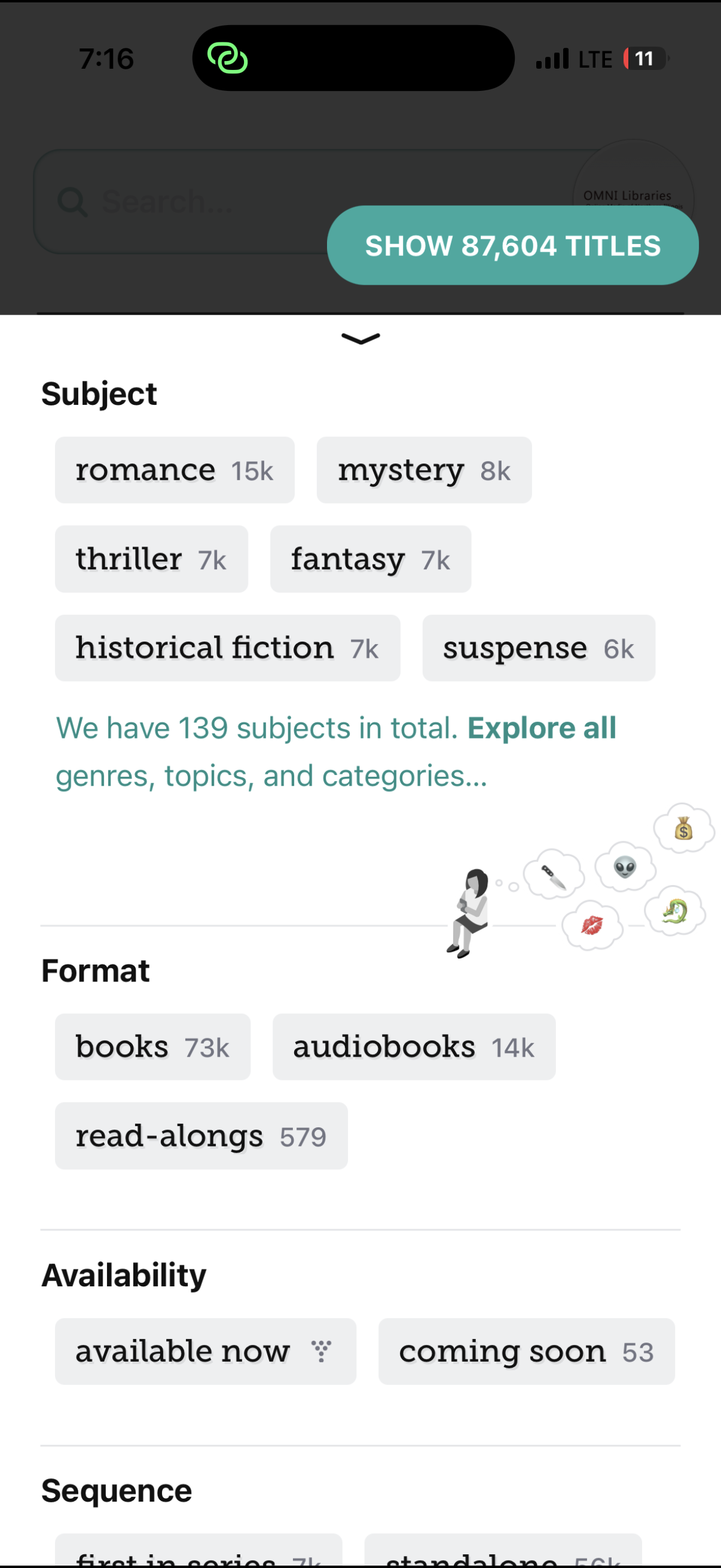
In the top right you will see a blueish-green rounded rectangle that will show you how many upcoming titles you have the option to hold. Mine specifically had 53. Press that and voila!
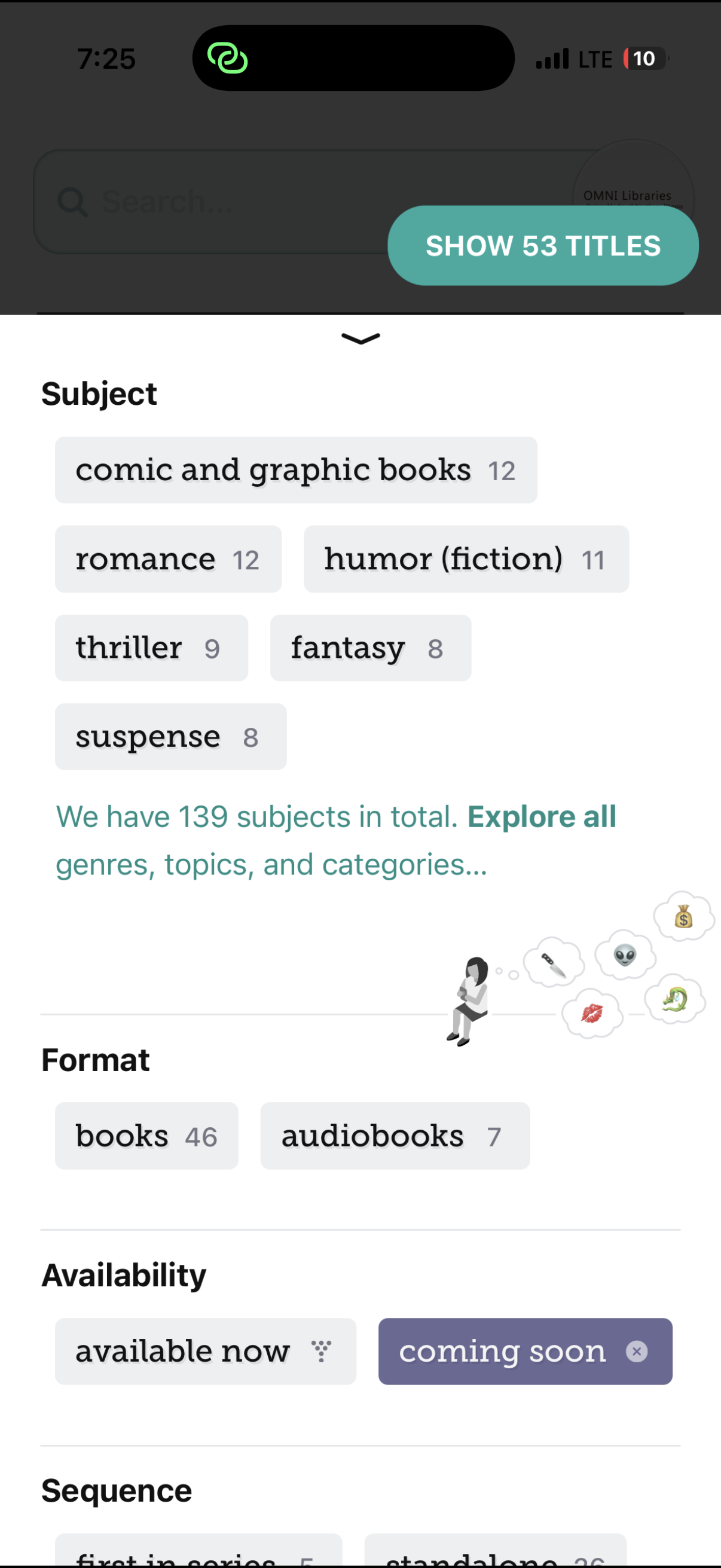
Now you can scroll down and browse through all of the titles. I love this option because it not only shows me adult books, but kids books as well. Plus, I don’t keep tabs on absolutely every author so it’s really fun when a book pops up from an author I’ve read or my kids have read before and liked.
Next I’ll show you how to request a specific book you know is going to be released in the near future. This is the same process to request your library to purchase a Libby book that has already been released. And don’t get intimidated – it’s very easy.
Start off by clicking the magnifying glass/search. Type in the Libby book you are looking for and hit search.
Sometimes the exact book you want will pull up right away and other times it won’t. If you DO see it, click on “Notify Me.”

This puts a Smart Tag on the book. What this means is the library isn’t guaranteed to acquire the book, but Libby shares your interest (anonymously) with your library and increases your chances of your library buying the Libby book.
If you DON’T see the book you were searching for, click on “deep search.” Deep search is a feature that expands your search results beyond what your library currently has to offer and allows you to request Libby books. The book I was searching for didn’t show up until I clicked “deep search” and it populated right away. I was then able to place a Smart Tag on the book!

After you place a Smart Tag on the book, Libby will automatically inform you if your library has added the Libby book to their collection. So you can just sit back and wait and once that notification comes through, you can put a hold in!
Do you have any other questions about how to get Libby books?





I didn’t realize there was coming soon button. I will have to check it out!
The annoying thing about Libby is that if you’ve hit the “notify me,” button, it will not automatically put a hold on that book for you if it is purchased. Sometimes I get a notification that it was purchased and I end up #24 on the hold list even if I act immediately. When I request a hard copy book from my library, if the library purchases it, I get it first. So just a difference to point out for others.
I was just coming here to say the same thing. I was notified last night about a book that I had tagged. I clicked on it immediately and then I had a 10 week wait to get the book.
Just found an upcoming Kate Quinn release on my coming soon that I put myself on the list for. Thanks!
Libby makes e-reading fabulous! I have used it for years. I hadn’t checked for a “coming soon” category so I am grateful for that extra information. I find the Library extension feature that you posted about recently a tremendous aid, too. Thank you for the great tips!